Product tour
See Neurofit in four steps.
No account needed.
Plan activities, practise together, review the record and prepare documentation.
Step 1 of 4 · Plan
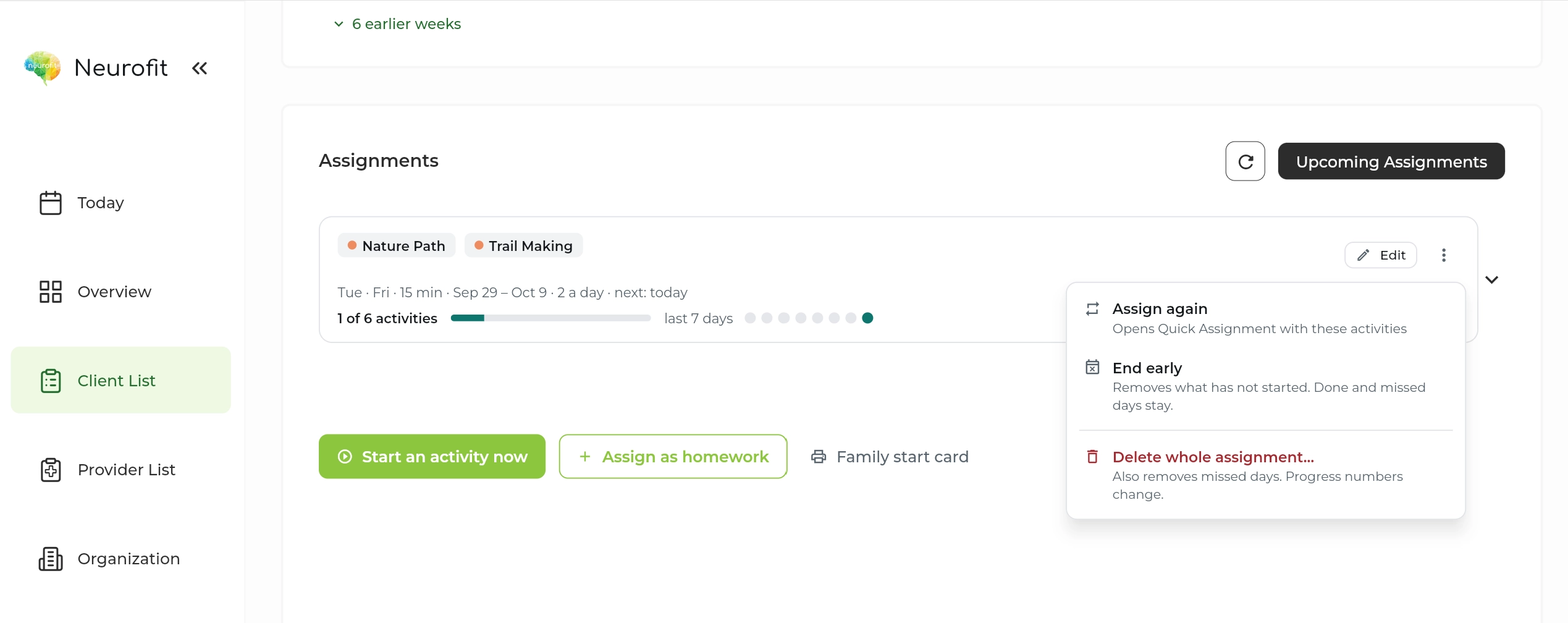
Choose the next step.
Select activities, set a schedule, and keep the home program alongside the session. Start an activity now or assign practice for later.
Assignments · schedule · completionNeurofit clinician dashboard Step 2 of 4 · Practise
Bring the activity to life.
Work with a client in person or during a live remote session. The same activities can continue at home between visits.
In person · live remote · at home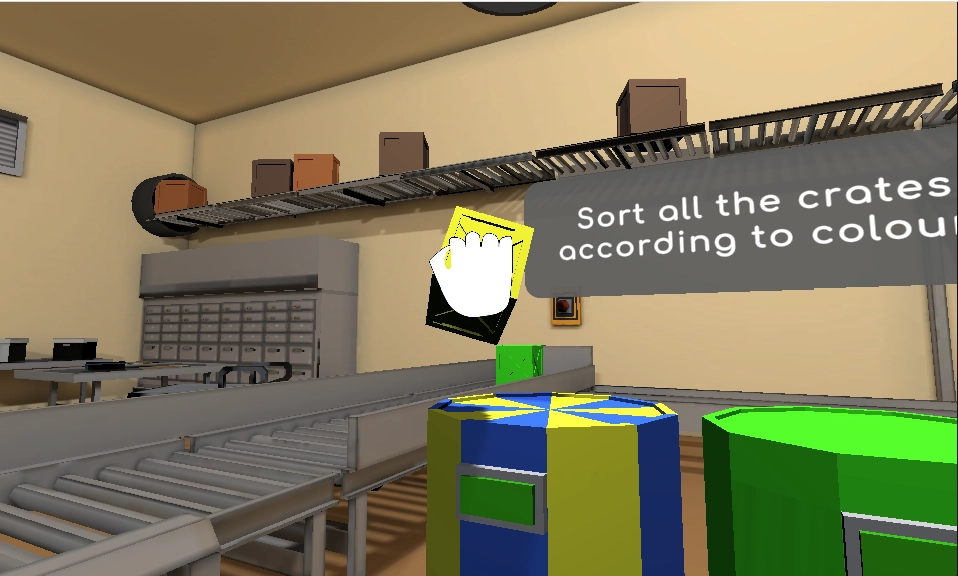 Neurofit cognitive activity
Step 3 of 4 · Review
Read the pattern, with context.
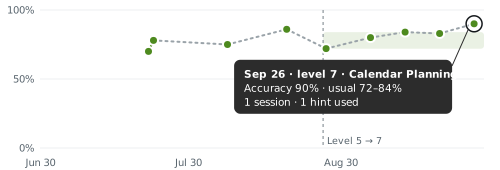
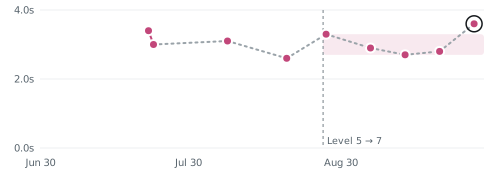
Look at accuracy and decision time together. Compare sessions at the same level, then bring your observations into the next conversation.
Task measures · session context · next steps Calendar PlanningLatest · Sep 26
Accuracy
Tasks finished correctly
Decision time
Average seconds per move
Shading shows the usual range at this level.
Step 4 of 4 · Document
Make the work easier to share.
Export a progress report or prepare a clinic or funding letter. Review the records and add your clinical context before sharing.
Progress report · clinic letter · funding letterExplore full samples ↗  NEUROFIT DEMO CLINIC
September 29, 2026 CLINIC LETTER
Treatment progress summary
- Client
- Nora Wells
- Reporting period
- Jul 1 – Sep 29, 2026
Please find below a summary of the client’s cognitive rehabilitation activity, drawn from recorded therapy activity.
22 completed activities21 activity days · 3.8 hours of practice
Clinical context
Task difficulty was recalibrated during this period. Read the measures alongside clinician observation.
Prepared for clinician review See how this could fit into your practice.