








Clients keep practising
client engagement across Neurofit programs
Neurofit pairs engaging cognitive activities with mood and engagement check-ins, giving your team a clearer picture in the clinic, over video and at home.
Free for your first 5 active clients each month. No credit card needed.
 IN THE SESSION & AT HOME
 The Neurofit community
Clients keep practising
client engagement across Neurofit programs
The work adds up
activity sessions completed in clinic, over video and at home
No training needed
to set up your first client
Care that stays connected
Run activities together, keep practice going at home, and bring a clearer record into the next conversation.
Take the four-step tourLive sessions
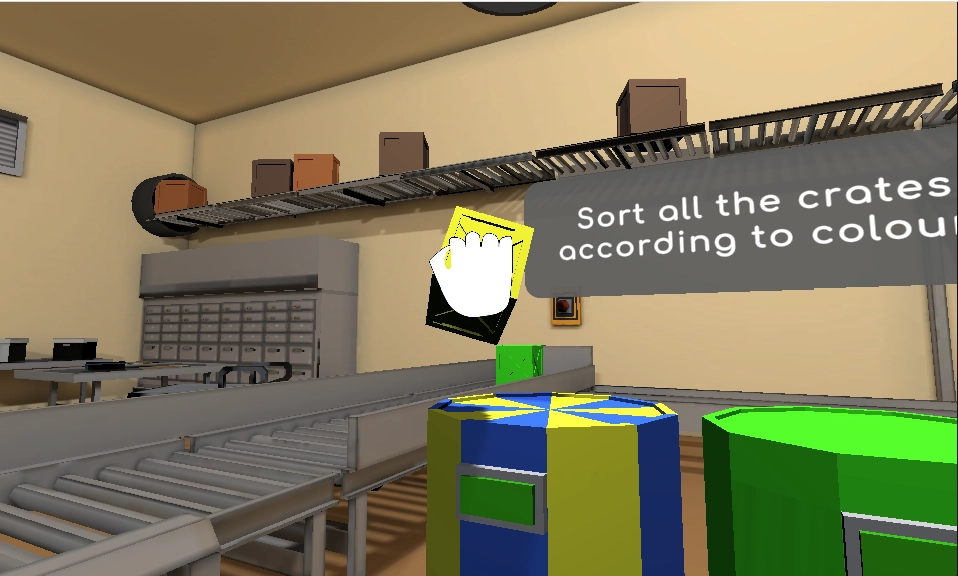
Choose an activity for an in-person or live remote session. Practise together, then see the record alongside your notes.
Explore live practice
“With the right timing and context, it can really support engagement and skill-building.”
Home practice
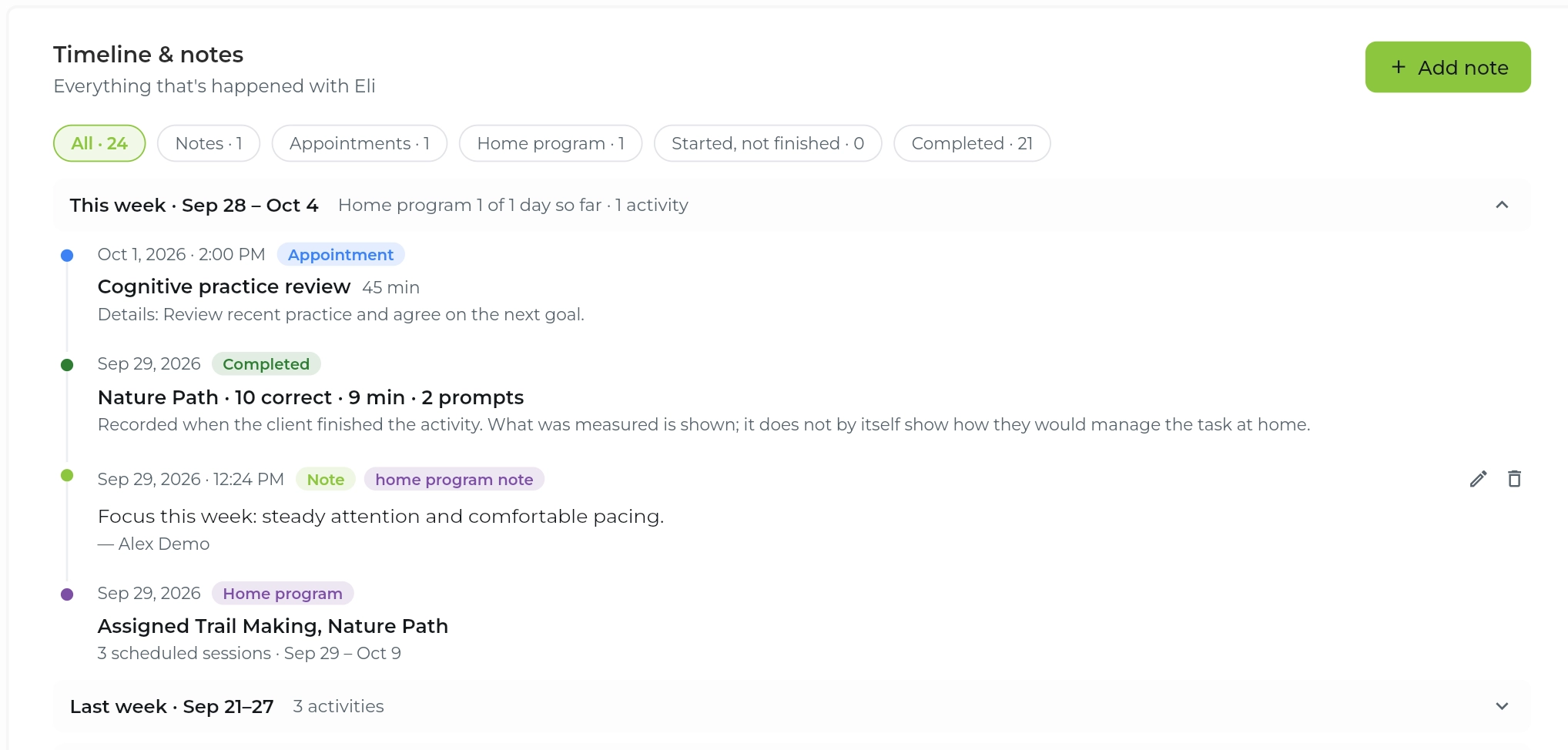
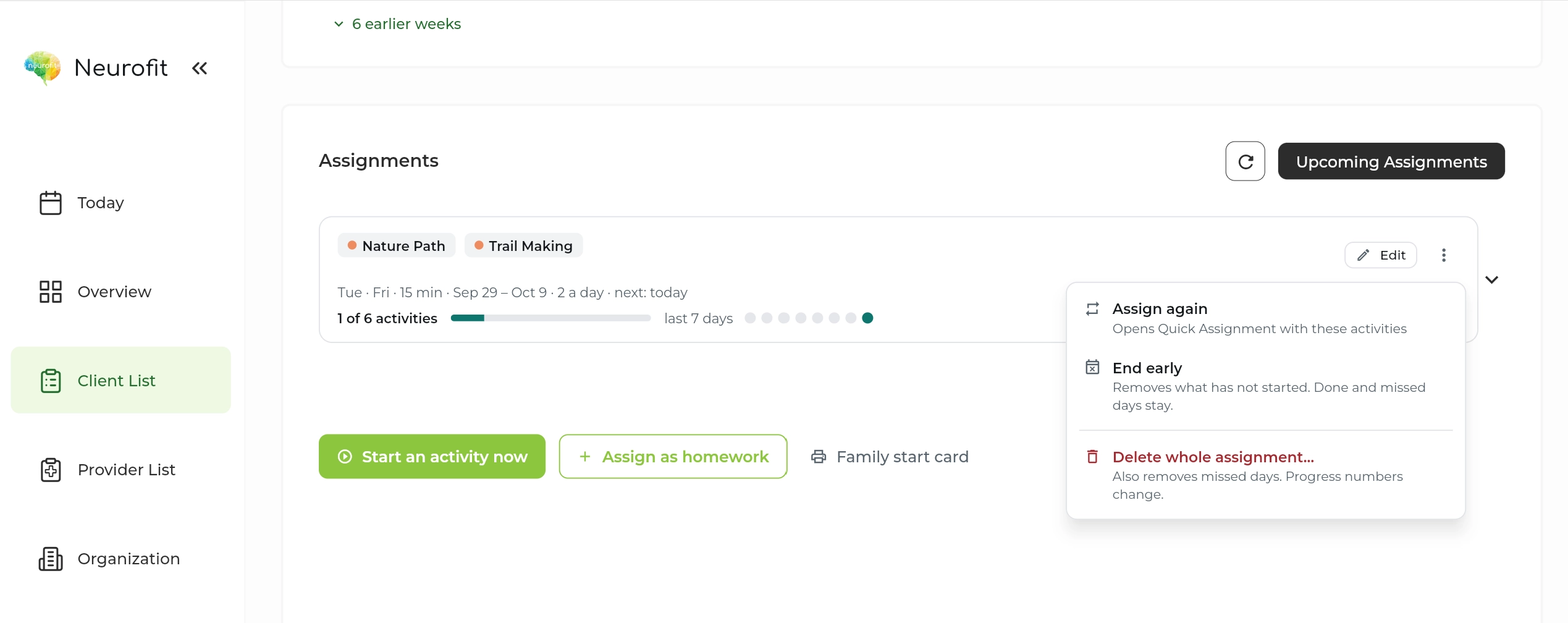
Choose activities and set a schedule. Clients practise at home, and you can review their activity before the next visit.
See how assignments work
“It collects measurable progress as your client works, so you’re not just guessing.”
Cognitive and mood insights
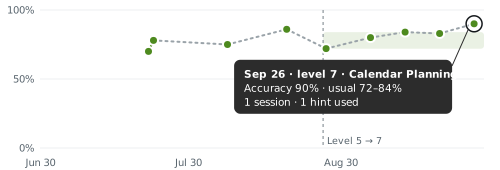
Review accuracy and decision time alongside mood, engagement and session notes. Bring the context into your next appointment.
Explore progress insights
“People actively want to keep returning to the clinic to use Neurofit again.”
Tasks finished correctly
Average seconds per move
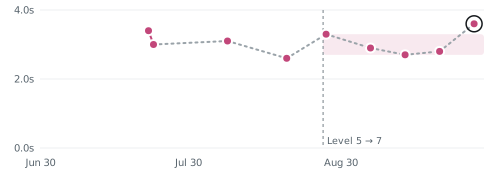
Shading shows the usual range at this level.
Progress reports · Pro
Bring recorded activity and clinical context into progress reports, clinic letters, and insurance or funding letters. Review the result before sharing.
Explore reports and letters
“What is like gold to them [the families] is to see the graphs, the changes, the improvement. It is a very unique program. I don’t know why we sat on it for so long because it’s so good. It’s very beneficial for the clients.”
 NEUROFIT DEMO CLINIC
CLINIC LETTER
Please find below a summary of the client’s cognitive rehabilitation activity, drawn from recorded therapy activity.
Task difficulty was recalibrated during this period. Read the measures alongside clinician observation.

“[Neurofit] really is a dream come true and is going to really extend our reach as far as options for our stroke survivors”
Dr. Cortney Jessee, OTD, OTR/L, CSRSChief Joy Officer, NeuJoy Stroke Solutions
Activity library
Sorting what matters first, like triaging an inbox
Following multi-step instructions in order
Switching between tasks without losing your place
Building a week around deadlines and constraints
Remembering details, names and where things are
Staying alert and responding at the right moment
Available in English and French.
See all activities →A clearer way to follow practice
Paper home programs and screen-shared worksheets weren't built to show you what happens between visits.
You don't know if the sheet was done, or how.
Effort, accuracy and mood are invisible until the next visit.
Progress lives in memory and paper notes.
Funder and team reports start from scratch every time.
Swipe the comparison to see all three approaches →
| What you need | Paper / PDF handouts | Screen-shared worksheets | Neurofit |
|---|---|---|---|
| Engaging for clients | Depends on the activity | With clinician guidance | Interactive activities |
| Works at home | Yes | Needs a live call | Yes |
| Shows what happened | Client or caregiver reports | Clinician observes the call | Recorded activity and performance |
| Mood and engagement data | Collected separately | Collected separately | Session check-ins |
| Report-ready data | Prepared manually | Prepared manually | Reports and letters on Pro |
See which approach fits your workflow: how clients practise, what you can review, and how the record reaches your team. Interpret activity data alongside your clinical observations.
Explore the home program comparisonWho it's for
Used by OT, SLP, behaviour therapy, neuropsychology and rehab medicine teams across brain injury, stroke, motor vehicle accident recovery, developmental disability programs and case-managed care, in Canada and the US.
Plan activities, review session records, and bring context into the next visit.
Explore clinical care →Bring cognitive performance into return-to-work conversations.
Explore disability teams →Give students hands-on experience with a digital rehabilitation workflow.
Explore education →For BCBAs and behaviour support teams adding cognitive practice to an existing therapy plan.
Explore behaviour therapy →Privacy built into the workflow
Built in Canada to support clinicians around the world.
PIPEDA, PHIPA and, where applicable, HIPAA.
In transit and at rest, with access controls and regular security assessments.
For US providers covered by HIPAA.
Case studies
See how pediatric clinics, return-to-work teams and OT programs use Neurofit.
Featured story · Playful Strides
See how Playful Strides brings cognitive activities into its executive functioning pathway, with therapist guidance and practice between visits.
Read the Playful Strides storyHow a Canadian disability-management organization brings guided practice into a coordinated care plan.
Read the story ↗Education · Classroom practiceHow an OT program brought digital practice and clinical reasoning into the classroom.
Read the story ↗Personal story · Stroke recoveryMaysyn describes finding accessible, challenging cognitive practice after stroke.
Read the story ↗Resources for your work
Common questions
Get a feel for how Neurofit fits into your workflow.
Talk it through with our teamGet started
Set up your first client in a minute. No training needed.
Free for your first 5 active clients each month.