Brain injury and stroke

Keep cognitive practice connected to daily goals.

When appointments are weeks apart, it can be hard to see what practice happened or how the next step should change.

Free for your first 5 active clients each month. No credit card needed.
Neurofit in practice
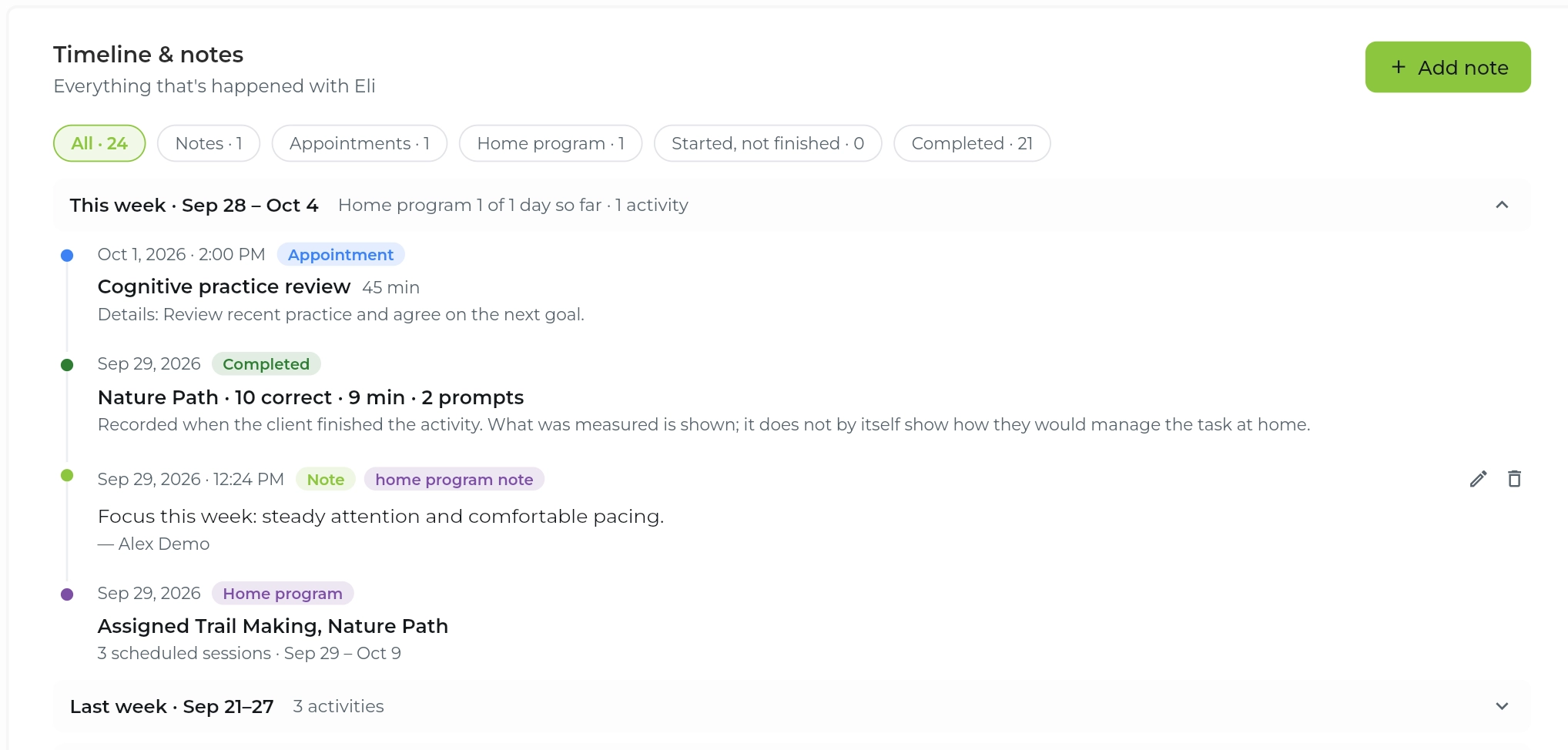
Neurofit timeline of appointments, completed activities and notes
Practice, observations and follow-up together.

Our clinical community

Playful Strides Therapy
Healing Synergy
WinnMed
The Note Ninjas
Beyond The DoorBeyond The Door

Clients keep practising

client engagement across Neurofit programs

The work adds up

activity sessions completed in clinic, over video and at home

A clearer way to follow practice

Is practice getting lost between appointments?

Paper home programs and screen-shared worksheets weren't built to show you what happens between visits.

No clear next step

A home activity needs to fit the person’s current goals and access needs.

No record between visits

A conversation may not capture the detail of each practice session.

No consistent context

An activity score makes more sense alongside difficulty and support.

No easy handoff

Families and care teams need a shared account of the next step.

A connected workflow

See where Neurofit fits.

Use the activity record to support the conversation, alongside clinical judgment and the wider care plan.

In the session

Practise around an everyday goal

Choose activities with the treating clinician, using the person’s goals and readiness as the starting point.
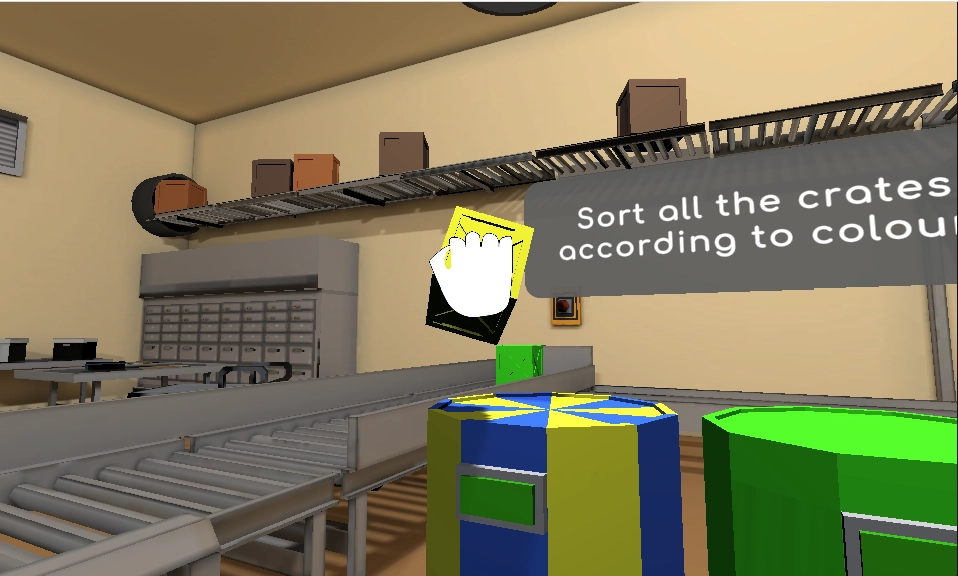
  • Explore attention, memory and planning activities
  • Practise together in person or over video
  • Consider visual and motor access needs
Take the product tour
Cognitive activity on the client’s screen
Choose a goal. Practise together.

Between visits

Make home practice specific

Give the person an activity and a schedule to return to between appointments.
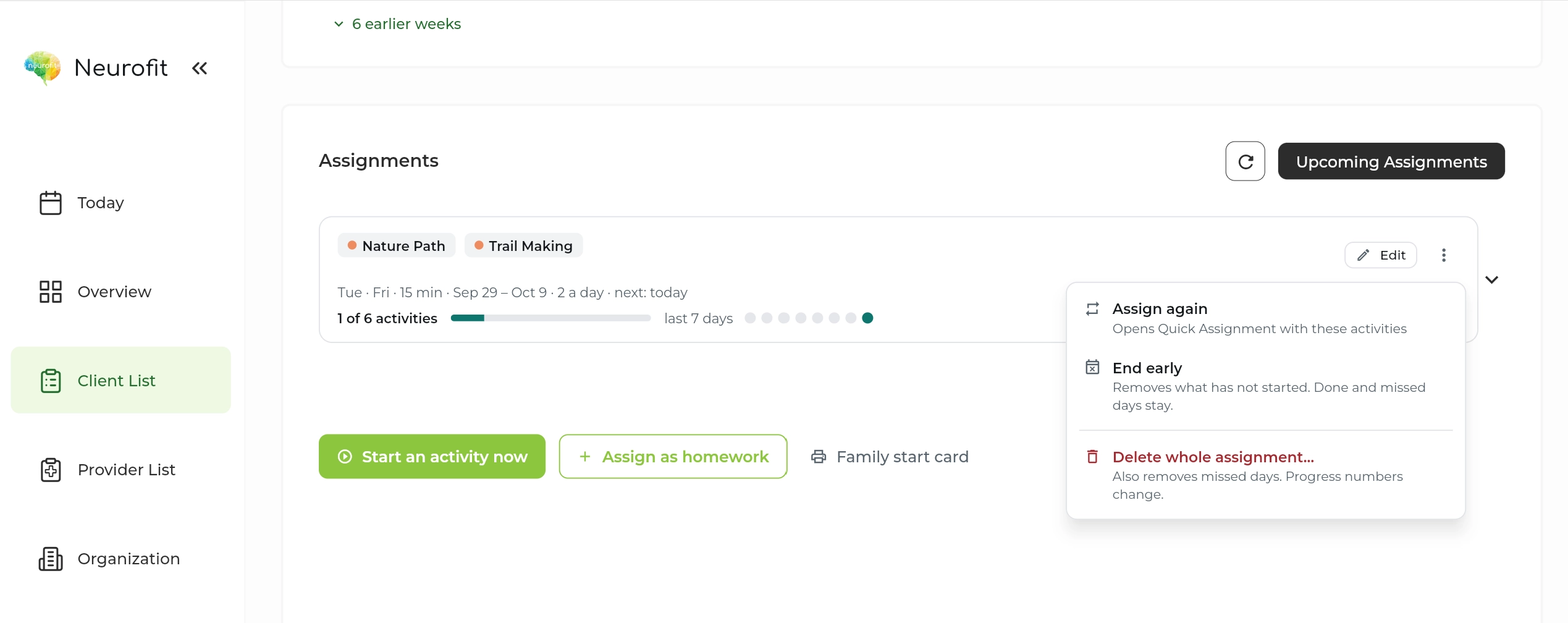
  • Set a manageable schedule
  • Review completed practice
  • Discuss support and barriers with the care team
Take the product tour
Neurofit assignment schedule and completion
A clear next step at home.

At review

Read change in context

Compare activity sessions with the same level in mind, then discuss what the pattern means.

  • Read accuracy and decision time together
  • Bring observations into your notes
  • Use Pro reports when a shareable record helps
Take the product tour
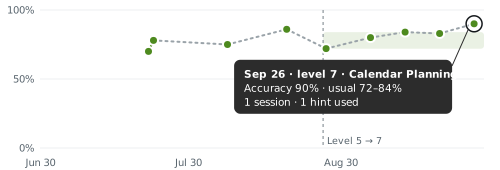
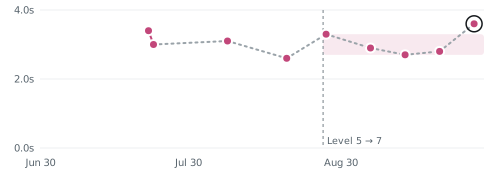
Calendar PlanningLatest · Sep 26

Accuracy

Tasks finished correctly

90%
Accuracy chart with session-day points, an activity-level change, a shaded usual range, and a latest value of 90 percent

Decision time

Average seconds per move

3.6s
Decision-time chart with pink session-day points, a shaded usual range, an activity-level change, and a latest value of 3.6 seconds

Shading shows the usual range at this level.

Review the record in context.

In their words

From people using Neurofit.

“I believe as a young stroke survivor, I need to be constantly challenged, and I’m happy to say Neurofit does that for me.”
MaysynMaysyn

From practice

Finding Cognitive Challenge After Stroke

Maysyn shares why accessible, challenging cognitive practice mattered to her after stroke.

Read the story

Get up and running

A small first step.

A minute to start

Set up your first client in a minute.

No training needed

Choose an activity and a schedule in the clinician dashboard.

Help if you want it

Book a walkthrough with our team for your questions.

Privacy built into the workflow

Client data, handled with care.

Built in Canada to support clinicians around the world.

Built for health privacy law

PIPEDA, PHIPA and, where applicable, HIPAA.

Encrypted

In transit and at rest, with access controls and regular security assessments.

BAA on request

For US providers covered by HIPAA.

How we protect client data

Common questions

What teams ask us.

Is this a diagnosis or clinical assessment?
No. Neurofit provides cognitive activities and their performance record. Diagnosis, assessment and treatment decisions remain with the appropriate clinician.
Can a therapist choose practice for home?
Yes. A clinician can select activities and a schedule, then review completed practice before the next visit.
Can we use it in person and remotely?
Yes. Use the activities during an in-person session or alongside a video call, then continue assigned practice at home.
What if using a mouse is difficult?
Consider visual, motor and other access needs with the clinician before choosing an activity. The current activities require a laptop or desktop and a mouse.
Does a higher score show recovery in daily life?
An activity measure describes performance on that task. It does not, on its own, establish how someone manages an everyday task. Review it with clinical observations and the person’s goals.
Can the care team receive a report?
Pro includes reports and letters. Sharing should follow the appropriate consent and care workflow.
Is it available in French?
Yes. Neurofit activities are available in English and French.
Do clients need to download anything?
No. Activities run in a web browser on a laptop or desktop with a mouse and an internet connection. Phones and tablets are not supported yet.

Get started

Explore practice with your care team.

Set up your first client in a minute. No training needed.

Free for your first 5 active clients each month.