For educators and academic programs

Give students hands-on digital practice.

When you're juggling curriculum, placements and accreditation, it's hard to give every student real hands-on practice with digital tools.

Ask about academic licensing.
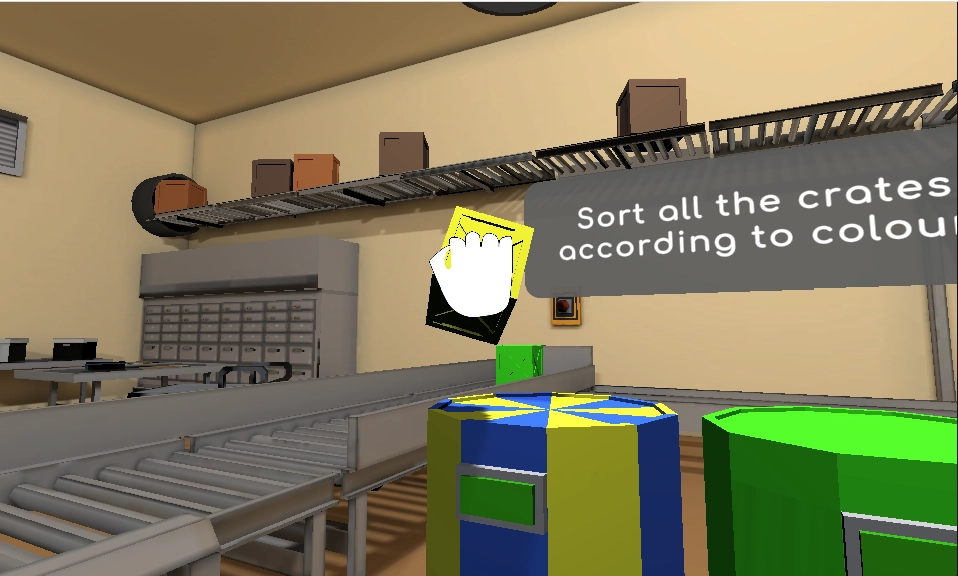
Neurofit in practice
Interactive crate-sorting activity in Neurofit
A practical bridge from classroom to care.

Our education community

University of St. Augustine
Florida Gulf Coast University
Keiser University
Chatham University

From the classroom

What students thought of Neurofit.

We surveyed occupational therapy students who used Neurofit (56 responses).

89%

Useful for OT practice

agreed Neurofit is a useful service for OT practitioners.

79%

Ready for remote care

agreed the experience helped prepare them to work with a patient remotely.

93%

Worth recommending

were likely to recommend Neurofit.

About the survey results

Self-reported student feedback from education pilots in 2021–2022. These surveys describe participants’ perceptions; they did not measure changes in patient outcomes.

A clearer way to follow practice

Are students graduating without hands-on digital practice?

Paper home programs and screen-shared worksheets weren't built to show you what happens between visits.

No real tools

A slide deck cannot give students a working clinical workflow.

No feedback loop

Students need a chance to interpret the information an activity returns.

No shared faculty view

Clinical reasoning is easier to discuss with a common case and record.

No time to build it

Creating a digital simulation from scratch adds to the curriculum workload.

A connected workflow

See where Neurofit fits.

Designed to support teaching, fieldwork preparation, and conversations about responsible digital practice.

In the session

Hands-on practice

Let students move from a fictional case to activity selection and clinical reasoning.

  • Explore the cognitive activities
  • Practise choosing activities around a goal
  • Discuss the limits of what each measure tells you
Take the product tour
Cognitive activity on the client’s screen
Choose a goal. Practise together.

Between visits

Faculty visibility

Use a common activity record as the starting point for feedback and reflection.

  • Review performance together
  • Ask students to explain the next step
  • Keep assessment and interpretation with faculty
Take the product tour
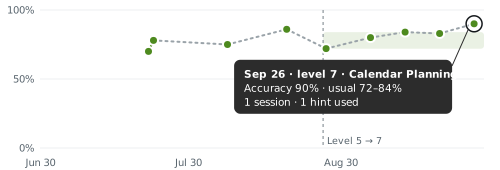
Calendar PlanningLatest · Sep 26

Accuracy

Tasks finished correctly

90%
Accuracy chart with session-day points, an activity-level change, a shaded usual range, and a latest value of 90 percent

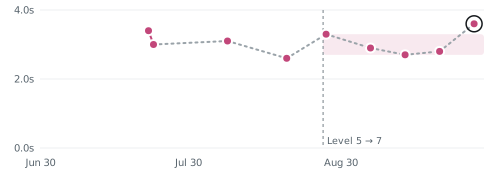
Decision time

Average seconds per move

3.6s
Decision-time chart with pink session-day points, a shaded usual range, an activity-level change, and a latest value of 3.6 seconds

Shading shows the usual range at this level.

A clear next step at home.

At review

Easy to run for a cohort

Build digital practice into your program with support from the Neurofit team.
  • Use a laptop or desktop browser
  • Create fictional teaching cases
  • Ask about academic licensing and setup
Take the product tour
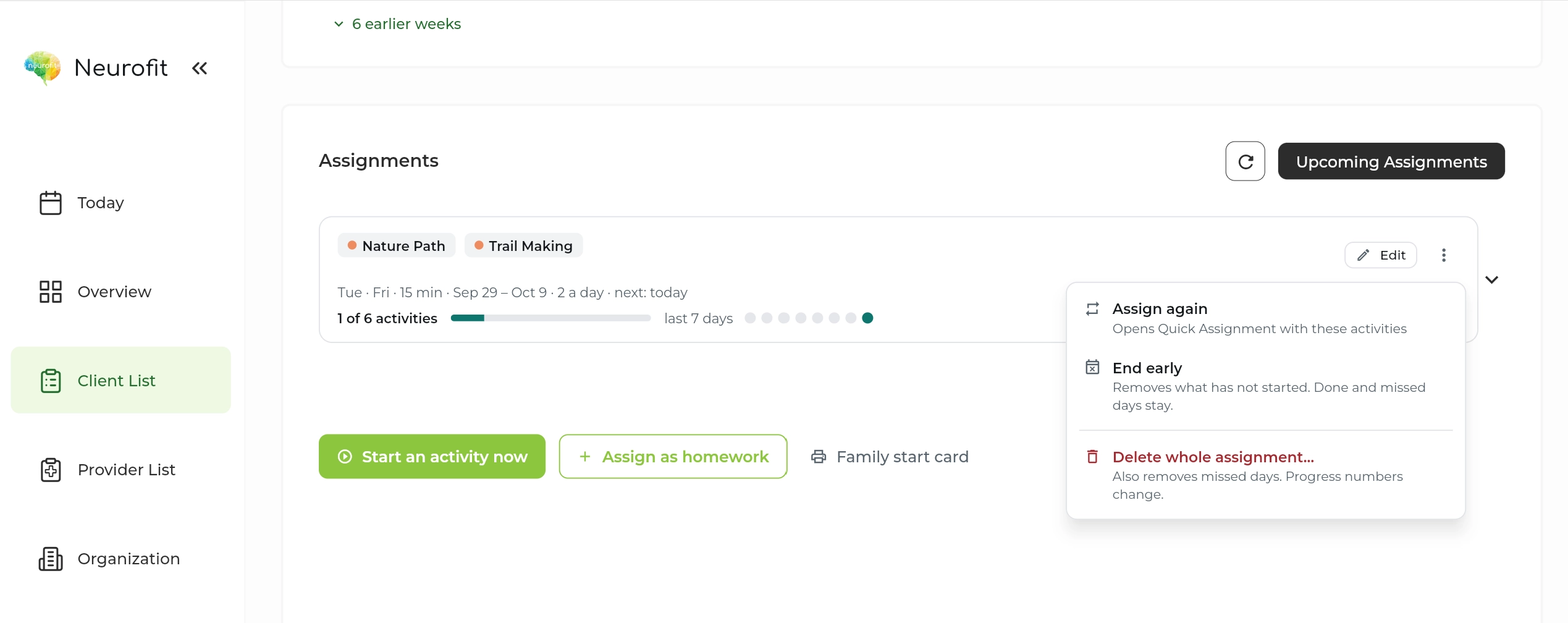
Neurofit assignment schedule and completion
Review the record in context.

In their words

From people using Neurofit.

“If you haven’t heard of Neurofit, you should check them out. They are an amazing company that can really benefit OT and our profession. From a clinical and academia standpoint.”
Dr. Lydia Kite
Dr. Lydia KiteOccupational therapy educator
“People actively want to keep returning to the clinic to use Neurofit again.”
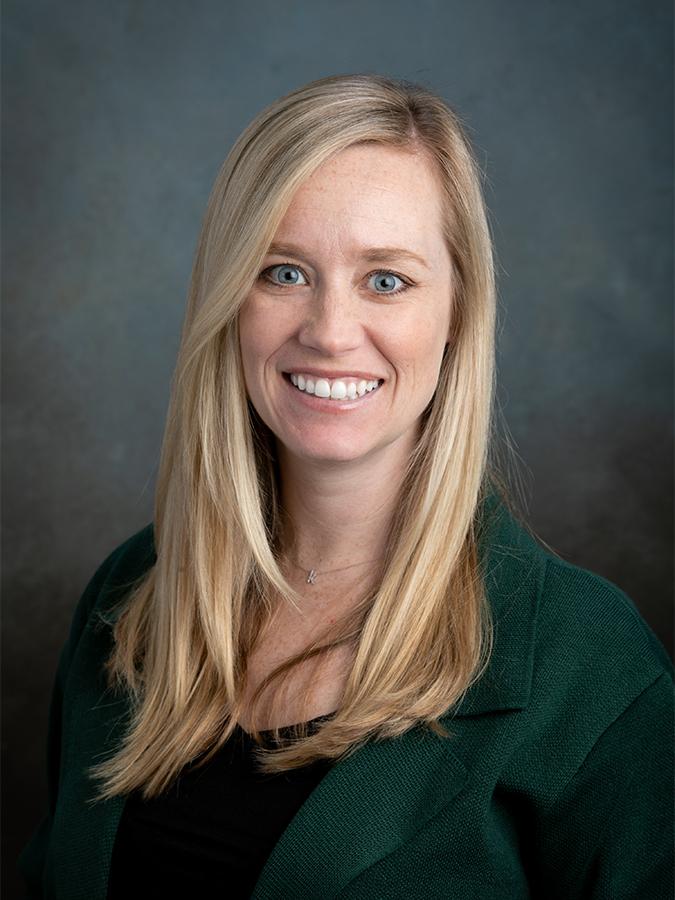
Dr. Kaitlyn Cremer
Dr. Kaitlyn Cremer, OTD, OTR/LOccupational therapist and educator

From practice

Bringing Digital Practice Into OT Education

An OT program connects digital practice with activity selection, interpretation, and clinical reasoning.

Read the story

Get up and running

A small first step.

A minute to start

Set up your first client in a minute.

No training needed

Choose an activity and a schedule in the clinician dashboard.

Help if you want it

Book a walkthrough with our team for your questions.

Privacy built into the workflow

Client data, handled with care.

Built in Canada to support clinicians around the world.

Built for health privacy law

PIPEDA, PHIPA and, where applicable, HIPAA.

Encrypted

In transit and at rest, with access controls and regular security assessments.

BAA on request

For US providers covered by HIPAA.

How we protect client data

Common questions

What teams ask us.

Can Neurofit be used in a classroom?
Yes. Programs can use the clinician workflow to teach activity selection, digital practice, and interpretation. Avoid entering real client information without the appropriate agreement and consent.
Does it replace supervised clinical experience?
No. It supports teaching and preparation alongside supervision, fieldwork, and clinical judgment.
Which programs might use it?
The workflow may be relevant to programs teaching cognitive rehabilitation, occupational therapy, neuropsychology, or related rehabilitation practice.
Is there academic pricing?
Yes. Ask us about academic licensing and how Neurofit could fit your program.
Is it available in French?
Yes. Neurofit activities are available in English and French.
Do clients need to download anything?
No. Activities run in a web browser on a laptop or desktop with a mouse and an internet connection. Phones and tablets are not supported yet.

Get started

Bring digital practice into the curriculum.

Set up your first client in a minute. No training needed.

Free for your first 5 active clients each month.